Lambda のアイデンティティベースの IAM ポリシーによると
AWSLambdaFullAccess と AWSLambdaReadOnlyAccessは 2021年3月1日に非推奨となったようです。
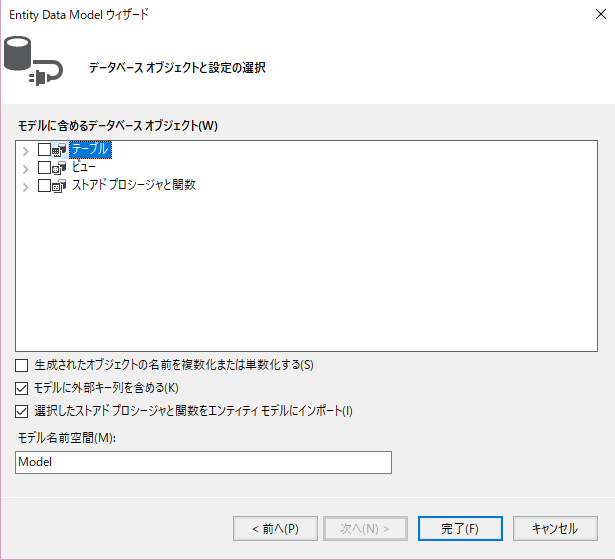
| Number(1,0) | bool |
| Number(2,0) ~ Number(3,0) | byte |
| Number(4,0) | int16 |
| Number(5,0) ~ Number(9,0) | int32 |
| Number(10,0) ~ Number(18,0) | int64 |
<oracle.manageddataaccess.client>
<version number="*">
<edmMappings>
<edmNumberMapping>
<add NETType="int16" MinPrecision="1" MaxPrecision="4" DBType="Number"/>
</edmNumberMapping>
</edmMappings>
<dataSources>
<dataSource alias="XXXXX" descriptor="(DESCRIPTION=(ADDRESS=(PROTOCOL=tcp)(HOST=XXX.XXX.XXX.XXX)(PORT=1521))(CONNECT_DATA=(SERVICE_NAME=XXXXX))) " />
</dataSources>
</version>
</oracle.manageddataaccess.client>
@Html.EditorFor(mdl => mdl.ID, new { htmlAttributes = new { @class = "form-control" } })
少しの事なんだけどメンドクサイ…
@Html.EditorForEx(mdl => mdl.ID, new { @class = "form-control" } )
using System;
using System.Linq.Expressions;
using System.Web;
using System.Web.Mvc;
using System.Web.Mvc.Html;
using System.Web.Routing;
using MyApp.Addon.Attributes;
namespace MyApp.Addon.Extentions
{
///
/// HTMLヘルパーに対する拡張クラス
///
public static class HtmlHelperEx
{
///
/// EditorForヘルパーを拡張したヘルパー
/// 機能
/// htmlAttributesの指定なしにclass属性を指定する
/// class属性にハードコーディングされる「text-box single-line」を削除する
///
///
///
///
///
///
public static IHtmlString EditorForEx<TModel, TValue>(this HtmlHelper<TModel> htmlHelper,
Expression<Func<TModel, TValue>> expression,
object viewData)
{
//属性をディクショナリに変換
var dicAttr = new RouteValueDictionary(viewData);
//何か固定で足したい属性があればここで足す
//属性を追加
dicAttr.Add("maxlength", 10);
/*
* EditorForヘルパーでHTML属性を指定するには
* @Html.EditorFor(mdl => mdl.ID, new { htmlAttributes = new { @class = "form-control", @readonly="readonly" } } )
* と指定しなければならない。
*
* これをEditorForExヘルパーでは
* @Html.EditorFor(mdl => mdl.ID, new { @class = "form-control", @readonly="readonly" } )
* と指定できるようにする。
*/
dynamic htmlAttr = new { htmlAttributes = dicAttr };
MvcHtmlString hstr = htmlHelper.EditorFor(expression, (object)htmlAttr);
/*
* 吐き出されるHtmlより class=属性の「text-box single-line」を外す
*/
hstr = MvcHtmlString.Create(hstr.ToString().Replace(" text-box single-line", ""));
return hstr;
}
}
}
よく使用するヘルパーであれば、Views/Web.configのnamespace要素に追加すると、各ビューにインポートを書かなくて済みます。web.configに追加しない場合は、各ビューの先頭でインポートしてください。・・・省略
@using MyApp.Addon.Extentions;
@Html.EditorFor(mdl => mdl.ID, new { htmlAttributes = new { @class = "form-control" } })
出力結果:
EditorForEx
@Html.EditorForEx(mdl => mdl.ID, new { @class = "form-control" })
出力結果
using System.ComponentModel;
using System.ComponentModel.DataAnnotations;
using MyApp.Addon.Attributes;
namespace MyApp.ViewModels
{
///
/// ログイン ビューモデル
///
public class Login
{
[DisplayName("ID"),
Placeholder("IDを入力してください")]
public string ID { get; set; }
}
}
@Html.EditorFor(mdl => mdl.ID, new { htmlAttributes = new { @class = "form-control", placeholder = @Html.PlaceholderFor(mdl => mdl.ID) } })
using System;
namespace MyApp.Addon.Attributes
{
///
/// プレースホルダー属性
///
[System.AttributeUsage(AttributeTargets.Property)]
public class PlaceholderAttribute : System.Attribute
{
///
/// プレースホルダーとして表示値する値
///
public string DisplayValue { get; set; }
///
/// コンストラクタ
///
/// プレースホルダーとして表示する値
public PlaceholderAttribute(string displayValue)
{
DisplayValue = displayValue;
}
}
}
次に属性を読み取るモデルメタデータプロバイダーを作成します。using System;
using System.Collections.Generic;
using System.Linq;
using System.Web.Mvc;
namespace MyApp.Addon.Attributes
{
///
/// 拡張したモデルメタデータプロバイダー
///
///
/// Global.asaxのApplication_Start()で、モデルプロバイダーに指定する。
///
public class ModelMetadataProvidersEx : DataAnnotationsModelMetadataProvider
{
///
/// 基底のCreateMetadataをオーバーライド
/// 指定したモデルのメタデータを作成します。
///
/// 属性
/// コンテナーの型。コンテナーが存在しない場合は null。
/// モデル アクセサー。
/// モデルの型。
/// プロパティ名。モデルがプロパティではない場合は、null。
/// モデルのメタデータ
protected override ModelMetadata CreateMetadata(IEnumerable attributes, Type containerType, Func<object> modelAccessor, Type modelType, string propertyName)
{
//元のCreateMetadataメソッドを呼び出し
ModelMetadata metadata = base.CreateMetadata(attributes, containerType, modelAccessor, modelType, propertyName);
//Placeholder属性を追加する
PlaceholderAttribute pha = attributes.OfType<PlaceholderAttribute>().FirstOrDefault();
if (pha != null)
{
metadata.AdditionalValues.Add("Placeholder", pha);
}
return metadata;
}
}
}
作成したモデルメタデータプロバイダーを、Grobal.asaxのApplication_Startメソッドで、属性の読み取りに使用する設定を行います。using System.Web.Mvc;
using System.Web.Routing;
namespace MyApp
{
///
/// アプリケーションイベント
///
public class MvcApplication : System.Web.HttpApplication
{
///
/// アプリケーション起動時
///
protected void Application_Start()
{
//エリア登録
AreaRegistration.RegisterAllAreas();
//ルート登録
RouteConfig.RegisterRoutes(RouteTable.Routes);
//データアノテーション属性の読み込みに、カスタマイズしたプロバイダーを使用する
ModelMetadataProviders.Current = new MyApp.Addon.Attributes.ModelMetadataProvidersEx();
}
}
}
以上で属性の作成は終了です。using System.ComponentModel;
using System.ComponentModel.DataAnnotations;
using MyApp.Addon.Attributes;
namespace MyApp.ViewModels
{
///
/// ログイン ビューモデル
///
public class Login
{
[DisplayName("ID"),
Placeholder("IDを入力してください")]
public string ID { get; set; }
}
}
using System;
using System.Linq.Expressions;
using System.Web;
using System.Web.Mvc;
using System.Web.Mvc.Html;
using System.Web.Routing;
using System.Dynamic;
using MyApp.Addon.Attributes;
namespace MyApp.Addon.Extentions
{
///
/// HTMLヘルパーに対する拡張クラス
///
public static class HtmlHelperEx
{
///
/// PlaceholderFor プレースホルダー属性に指定された値を出力するHtmlヘルパー
///
///
///
///
///
///
public static IHtmlString PlaceholderFor<TModel, TValue>(
this HtmlHelper<TModel> htmlHelper,
Expression<Func<TModel, TValue>> expression)
{
var attrList = ModelMetadata.FromLambdaExpression<TModel, TValue>(expression, htmlHelper.ViewData);
//プレースホルダーの属性値を返す
if (attrList.AdditionalValues.ContainsKey("Placeholder"))
{
var plhAttr = (PlaceholderAttribute)attrList.AdditionalValues["Placeholder"];
return new HtmlString(plhAttr.DisplayValue);
}
return new HtmlString("");
}
}
}
web.configに追加しない場合は、各ビューの先頭でインポートしてください。・・・省略
@using MyApp.Addon.Extentions;これでビューでは @Html.PlaceholderFor ヘルパーを使用して、プレースホルダーの値を表示できるようになります。
@Html.EditorFor(mdl => mdl.ID, new { htmlAttributes = new { @class = "form-control", placeholder = @Html.PlaceholderFor(mdl => mdl.ID) } })
@using (Html.BeginForm("SimpleBind", "ModelBind"))
{
<dl>
<dt>@Html.Label("String値:")</dt>
<dd>@Html.TextBox("StringValue")</dd>
</dl>
<div>
<input type="submit" value="送信" />
</div>
}
コントローラー
using System.Web.Mvc;
namespace Practice.Controllers
{
public class ModelBindController : Controller
{
public ActionResult Show()
{
return View();
}
public ActionResult SimpleBind(string stringvalue)
{
string value = $"「{stringvalue}」が入力されました。";
return Content(value);
}
}
}
@using (Html.BeginForm("SimpleBind", "ModelBind"))
{
<dl>
<dt>@Html.Label("int値:")</dt>
<dd>@Html.TextBox("IntValue")</dd>
</dl>
<div>
<input type="submit" value="送信" />
</div>
}
コントローラー
using System.Web.Mvc;
namespace Practice.Controllers
{
public class ModelBindController : Controller
{
public ActionResult Show()
{
return View();
}
public ActionResult SimpleBind(int intvalue)
{
string value = $"「{intvalue}」が入力されました。";
return Content(value);
}
}
}
テキストボックスに何も入力せずに送信したり、数値に変換できない文字を入力して送信すると、「アクションパラメータの引数にnullが設定できないよ」とエラーになってしまいます。
public ActionResult SimpleBind(int? intvalue)
{
string value = $"「{intvalue}」が入力されました。";
return Content(value);
}
using System.ComponentModel.DataAnnotations;
namespace Practice.Models
{
public class BindSampleViewModel
{
[Display(Name = "string値")]
public string StringValue { get; set; }
[Display(Name = "int値")]
public int? IntValue { get; set; }
}
}
ビュー
@model Practice01_Begin.Models.BindSampleViewModel
@using (Html.BeginForm("BindSampleResult", "ModelBind"))
{
<dl>
<dt>@Html.DisplayNameFor(mdl => mdl.StringValue)</dt>
<dd>@Html.EditorFor(mdl => mdl.StringValue)</dd>
<dt>@Html.DisplayNameFor(mdl => mdl.IntValue)</dt>
<dd>@Html.EditorFor(mdl => mdl.IntValue)</dd>
</dl>
<input type = "submit" value = "送信" />
コントローラー
using System.Web.Mvc;
namespace Practice.Controllers
{
public class ModelBindController : Controller
{
public ActionResult BindSample()
{
return View();
}
public ActionResult BindSampleResult(Models.BindSampleViewModel mdl)
{
string value = $"「{mdl.StringValue},{mdl.IntValue}」が入力されました。";
return Content(value);
}
}
}
using System.ComponentModel.DataAnnotations;
namespace Practice01_Begin.Models
{
public class BindSampleViewModel
{
[Display(Name = "string値")]
public string StringValue { get; set; }
[Display(Name = "int値")]
public int? IntValue { get; set; }
[Display(Name = "権限")]
public string Role { get; set; }
}
}
ビューはStringValueとIntValueのみが編集でき、Roleは表示するだけになっていたとします。
@model Practice01_Begin.Models.BindSampleViewModel
@using (Html.BeginForm("BindSampleResult", "ModelBind"))
{
<dl>
<dt>@Html.DisplayNameFor(mdl => mdl.StringValue)</dt>
<dd>@Html.EditorFor(mdl => mdl.StringValue)</dd>
<dt>@Html.DisplayNameFor(mdl => mdl.IntValue)</dt>
<dd>@Html.EditorFor(mdl => mdl.IntValue)</dd>
<dd>@Html.DisplayNameFor(mdl => mdl.Role)</dd>
<dd>@Html.DisplayFor(mdl => mdl.Role)</dd>
</dl>
<input type = "submit" value = "送信" />
コントローラーは先ほどと同じで、引数にモデルを指定します。
using System.Web.Mvc;
namespace Practice.Controllers
{
public class ModelBindController : Controller
{
public ActionResult BindSample()
{
var mdl = new Models.BindSampleViewModel();
mdl.StringValue = "StringValue";
mdl.IntValue = 12345;
mdl.Role = "user";
return View(mdl);
}
public ActionResult BindSampleResult(Models.BindSampleViewModel mdl)
{
if (mdl.Role != null)
{
//"重要な処理をする";
}
string str = $"「StringValue:={mdl.StringValue},IntValue:={mdl.IntValue}, Role:={mdl.Role}」が入力されました。";
return Content(str);
}
}
}
自動的にバインドしたくないプロパティがある場合は、
public ActionResult BindSampleResult
([Bind(Include = "StringValue, IntValue")] Models.BindSampleViewModel mdl)
{
・・・略
}
バインドしないプロパティを指定するには、
public ActionResult BindSampleResult
([Bind(Exclude = "Role")] Models.BindSampleViewModel mdl)
{
・・・略
}
ためしにビューでRoleプロパティを入力できるようにして実行してみます。
using System.ComponentModel.DataAnnotations;
public class AttributeModel
{
[Display(Name = "int型(DataType.Text)")]
[DataType(DataType.Text)]
public int IntValue { get; set; }
}
コントローラー
public ActionResult AttributeAction()
{
var mdl = new Models.AttributeModel();
mdl.IntValue = 123456789;
return View(mdl);
}
ビュー
@model Practice.Models.AttributeModel
<dl>
<dt>@Html.DisplayNameFor(mdl => mdl.IntValue)</dt>
<dd>@Html.DisplayFor(mdl => mdl.IntValue)</dd>
<dd>@Html.EditorFor(mdl => mdl.IntValue)</dd>
</dl>
出力
<dl>
<dt>int型(DataType.Text)</dt>
<dd>123456789</dd>
<dd><input class="text-box single-line" data-val="true"
data-val-number="フィールド int型(DataType.Text) には数字を指定してください。"
data-val-required="int型(DataType.Text) フィールドが必要です。"
id="IntValue" name="IntValue" type="text" value="123456789" /></dd>
</dl>
using System.ComponentModel.DataAnnotations;
public class AttributeModel
{
[Display(Name = "string型(DataType.Html)")]
[DataType(DataType.Html)]
public string HtmlValue { get; set; }
}
コントローラー
public ActionResult AttributeAction()
{
var mdl = new Models.AttributeModel();
mdl.HtmlValue = "<font color='red'>赤字</font>";
return View(mdl);
}
ビュー
@model Practice.Models.AttributeModel <dl> <dt>@Html.DisplayNameFor(mdl => mdl.HtmlValue)</dt> <dd>@Html.DisplayFor(mdl => mdl.HtmlValue)</dd> <dd>@Html.EditorFor(mdl => mdl.HtmlValue)</dd> </dl>出力
<dl>
<dt>string型(DataType.Html)</dt>
<dd><font color='red'>赤字</font></dd>
<dd><input class="text-box single-line" id="HtmlValue" name="HtmlValue" type="text"
value="&lt;font color=&#39;red&#39;&t;赤字&lt;/font&gt;" /></dd>
</dl>
using System.ComponentModel.DataAnnotations;
public class AttributeModel
{
[Display(Name = "string型(DataType.MultilineText)")]
[DataType(DataType.MultilineText)]
public string MultilineTextValue { get; set; }
}
コントローラー
public ActionResult AttributeAction()
{
var mdl = new Models.AttributeModel();
mdl.MultilineTextValue = "1行目\r\n2行目";
return View(mdl);
}
ビュー
@model Practice.Models.AttributeModel
<dl>
<dt>@Html.DisplayNameFor(mdl => mdl.MultilineTextValue)</dt>
<dd>@Html.DisplayFor(mdl => mdl.MultilineTextValue)</dd>
<dd>@Html.EditorFor(mdl => mdl.MultilineTextValue)</dd>
</dl>
<dl>
<dt>string型(DataType.MultilineText)</dt>
<dd>1行目
2行目</dd>
<dd><textarea class="text-box multi-line" id="MultilineTextValue"
name="MultilineTextValue">
1行目
2行目</textarea></dd>
</dl>
using System.ComponentModel.DataAnnotations;
public class AttributeModel
{
[Display(Name = "string型(DataType.EmailAddress)")]
[DataType(DataType.EmailAddress)]
public string EmailAddressValue { get; set; }
}
コントローラー
public ActionResult AttributeAction()
{
var mdl = new Models.AttributeModel();
mdl.EmailAddressValue = "aaa@gmail.com";
return View(mdl);
}
ビュー
@model Practice.Models.AttributeModel
<dl>
<dt>@Html.DisplayNameFor(mdl => mdl.MultilineTextValue)</dt>
<dd>@Html.DisplayFor(mdl => mdl.MultilineTextValue)</dd>
<dd>@Html.EditorFor(mdl => mdl.MultilineTextValue)</dd>
</dl>
<dl> <dt>string型(DataType.EmailAddress)</dt> <dd><a href="mailto:aaa@gmail.com">aaa@gmail.com</a></dd> <dd><input class="text-box single-line" id="EmailAddressValue" name="EmailAddressValue" type="email" value="aaa@gmail.com" /></dd> </dl>
using System.ComponentModel.DataAnnotations;
public class AttributeModel
{
[Display(Name = "string型(DataType.Url)")]
[DataType(DataType.Url)]
public string UrlValue { get; set; }
}
コントローラー
public ActionResult AttributeAction()
{
var mdl = new Models.AttributeModel();
mdl.UrlValue = "https://www.google.co.jp";
return View(mdl);
}
ビュー
@model Practice.Models.AttributeModel
<dl>
<dt>@Html.DisplayNameFor(mdl => mdl.UrlValue)</dt>
<dd>@Html.DisplayFor(mdl => mdl.UrlValue)</dd>
<dd>@Html.EditorFor(mdl => mdl.UrlValue)</dd>
</dl>
<dl>
<dt>string型(DataType.Url)</dt>
<dd><a href="https://www.google.co.jp">https://www.google.co.jp</a></dd>
<dd><input class="text-box single-line" id="UrlValue" name="UrlValue" type="url" value="https://www.google.co.jp" /></dd>
</dl>
using System.ComponentModel.DataAnnotations;
public class AttributeModel
{
[Display(Name = "string型(DataType.Password)")]
[DataType(DataType.Password )]
public string PasswordValue { get; set; }
}
コントローラー
public ActionResult AttributeAction()
{
var mdl = new Models.AttributeModel();
mdl.PasswordValue = "ABCD123";
return View(mdl);
}
ビュー
@model Practice.Models.AttributeModel
<dl>
<dt>@Html.DisplayNameFor(mdl => mdl.PasswordValue)</dt>
<dd>@Html.DisplayFor(mdl => mdl.PasswordValue)</dd>
<dd>@Html.EditorFor(mdl => mdl.PasswordValue)</dd>
</dl>
<dl>
<dt>string型(DataType.Password)</dt>
<dd>ABCD123</dd>
<dd><input class="text-box single-line password" id="PasswordValue" name="PasswordValue" type="password" value="ABCD123" /></dd>
</dl>
using System.ComponentModel.DataAnnotations;
public class AttributeModel
{
[Display(Name = "string型(DataType.PhoneNumber)")]
[DataType(DataType.PhoneNumber )]
public string PhoneNumberValue { get; set; }
}
コントローラー
public ActionResult AttributeAction()
{
var mdl = new Models.AttributeModel();
mdl.PhoneNumberValue = "09012345678";
return View(mdl);
}
ビュー
@model Practice.Models.AttributeModel
<dl>
<dt>@Html.DisplayNameFor(mdl => mdl.PhoneNumberValue)</dt>
<dd>@Html.DisplayFor(mdl => mdl.PhoneNumberValue)</dd>
<dd>@Html.EditorFor(mdl => mdl.PhoneNumberValue)</dd>
</dl>
<dl>
<dt>string型(DataType.PhoneNumber)</dt>
<dd>09012345678</dd>
<dd><input class="text-box single-line" id="PhoneNumberValue" name="PhoneNumberValue" type="tel" value="09012345678" /></dd>
</dl>
using System.ComponentModel.DataAnnotations;
public class AttributeModel
{
[DataType(DataType.DateTime)]
public DateTime DateTimeValue { get; set; }
[Display(Name = "DateTime(DataType.Date)")]
[DataType(DataType.Date)]
public DateTime DateValue { get; set; }
[Display(Name = "DateTime(DataType.Time)")]
[DataType(DataType.Time)]
public DateTime TimeValue { get; set; }}
コントローラー
public ActionResult AttributeAction()
{
var mdl = new Models.AttributeModel();
mdl.DateTimeValue = DateTime.Now;
mdl.DateValue = DateTime.Now;
mdl.TimeValue = DateTime.Now;
return View(mdl);
}
ビュー
@model Practice.Models.AttributeModel <dl> <dt>@Html.DisplayNameFor(mdl => mdl.DateTimeValue)</dt> <dd>@Html.DisplayFor(mdl => mdl.DateTimeValue)</dd> <dd>@Html.EditorFor(mdl => mdl.DateTimeValue)</dd> <dt>@Html.DisplayNameFor(mdl => mdl.DateValue)</dt> <dd>@Html.DisplayFor(mdl => mdl.DateValue)</dd> <dd>@Html.EditorFor(mdl => mdl.DateValue)</dd> <dt>@Html.DisplayNameFor(mdl => mdl.TimeValue)</dt> <dd>@Html.DisplayFor(mdl => mdl.TimeValue)</dd> <dd>@Html.EditorFor(mdl => mdl.TimeValue)</dd> </dl>
<dl> <dt>DateTime(DataType.DateTme)</dt> <dd>2016/12/23 6:11:56</dd> <dd><input class="text-box single-line" data-val="true" data-val-date="フィールド DateTime(DataType.DateTme) は日付である必要があります。" data-val-required="DateTime(DataType.DateTme) フィールドが必要です。" id="DateTimeValue" name="DateTimeValue" type="datetime" value="2016/12/23 6:11:56" /></dd> <dt>DateTime(DataType.Date)</dt> <dd>2016/12/23</dd> <dd><input class="text-box single-line" data-val="true" data-val-date="フィールド DateTime(DataType.Date) は日付である必要があります。" data-val-required="DateTime(DataType.Date) フィールドが必要です。" id="DateValue" name="DateValue" type="date" value="2016/12/23" /></dd> <dt>DateTime(DataType.Time)</dt> <dd>6:11</dd> <dd><input class="text-box single-line" data-val="true" data-val-required="DateTime(DataType.Time) フィールドが必要です。" id="TimeValue" name="TimeValue" type="time" value="6:11" /></dd> </dl>
using System.ComponentModel.DataAnnotations;
public class AttributeModel
{
[DataType(DataType.DateTime)]
[DisplayFormat(DataFormatString = "{0:yy年MM月dd日}", ApplyFormatInEditMode = true)]
public DateTime DateTimeValue { get; set; }
[Display(Name = "DateTime(DataType.Date)")]
[DataType(DataType.Date)]
[DisplayFormat(DataFormatString = "{0:yyyy-MM-dd}", ApplyFormatInEditMode = true)]
public DateTime DateValue { get; set; }
[Display(Name = "DateTime(DataType.Time)")]
[DataType(DataType.Time)]
[DisplayFormat(DataFormatString = "{0:HH:mm}", ApplyFormatInEditMode = true)]
public DateTime TimeValue { get; set; }
}
using System.ComponentModel.DataAnnotations;
public class AttributeModel
{
[Display(Name = "Decimal(DataType.Currency)")]
[DataType(DataType.Currency)]
public Decimal CurrencyValue { get; set; }
}
コントローラー
public ActionResult AttributeAction()
{
var mdl = new Models.AttributeModel();
mdl.CurrencyValue = 12345678.5678m;
return View(mdl);
}
ビュー
@model Practice.Models.AttributeModel <dl> <dt>@Html.DisplayNameFor(mdl => mdl.CurrencyValue)</dt> <dd>@Html.DisplayFor(mdl => mdl.CurrencyValue)</dd> <dd>@Html.EditorFor(mdl => mdl.CurrencyValue)</dd> </dl>
<dl>
<dt>Decimal(DataType.Currency)</dt>
<dd>¥12,345,679</dd>
<dd><input class="text-box single-line" data-val="true"
data-val-number="フィールド Decimal(DataType.Currency) には数字を指定してください。"
data-val-required="Decimal(DataType.Currency) フィールドが必要です。"
id="CurrencyValue" name="CurrencyValue" type="text" value="12345678.57" /></dd>
</dl>
| DataType | DisplaryForヘルパー | EditorForヘルパー |
|---|---|---|
| DataType.Text | テキストボックス <input type="text" > | |
| DataType.Html | 値をエンコードせずに出力する | テキストボックス <input type="text" > |
| DataType.MultilineText | テキストエリア <textarea> | |
| DataType.EmailAddress | メールリンク <a href="mailto:~"> | テキストボックス <input type="email" > |
| DataType.Url | ハイパーリンク <a href="~"> | テキストボックス <input type="url" > |
| DataType.Password | テキストボックス <input type="password" > | |
| DataType.PhoneNumber | テキストボックス <input type="tel" > | |
| DataType.DateTime | 年月日時分秒が出力される | テキストボックス <input type="datetime" > |
| DataType.Date | 年月日が出力される | テキストボックス <input type="date" > |
| DataType.Time | 時分が出力される | テキストボックス <input type="time" > |
| DataType.Currency | カレントカルチャの金額情報でフォーマットされ出力される | カレントカルチャの数値情報でフォーマットされ出力される <input type="time" > |
| DateFormatString | 書式文字列 |
| ApplyFormatInEditMode | 編集時にも書式を適用するかどうか |
| ConvertEmptyStringToNull | 空文字列をnullに変換するかどうか |
| NullDisplayText | 値がnullの時に表示するテキスト |
//DisplayName属性を使用する場合にインポートする
using System.ComponentModel;
//Display属性を使用する場合にインポートする
using System.ComponentModel.DataAnnotations;
namespace Practice.Models
{
public class TemplateHelperViewModel
{
public string Text1 { get; set; }
[DisplayName("テキスト2")]
public string Text2 { get; set; }
[Display(Name = "テキスト3")]
public string Text3 { get; set; }
}
}
コントローラー
using System.Web.Mvc;
namespace Practice.Controllers
{
public class TemplateHelperController : Controller
{
public ActionResult Index()
{
var mdl = new Models.TemplateHelperViewModel();
return View(mdl);
}
}
}
ビュー
@model Practice.Models.TemplateHelperViewModel
using System;
using System.Collections.Generic;
using System.ComponentModel;
using System.ComponentModel.DataAnnotations;
namespace Practice.Models
{
public enum WeweathereType
{
[Display(Name = "晴れ")]
sunny,
[Display(Name = "曇")]
cloudy,
[Display(Name = "雨")]
rainy
}
public class DisplayForViewModel
{
[Display(Name ="String型")]
public string StringValue { get; set; }
[Display(Name = "int型")]
public int IntValue { get; set; }
[Display(Name = "long型")]
public long LongValue { get; set; }
[Display(Name = "decimal型")]
public decimal DecimalValue { get; set; }
[Display(Name = "DateTime型")]
public DateTime DateTimeValue { get; set; }
[Display(Name = "bool型")]
public bool BoolValue { get; set; }
[Display(Name = "bool(Nullable)型")]
public bool? NullableBoolValue { get; set; }
[Display(Name = "enum型")]
public WeweathereType EnumValue { get; set; }
}
}
コントローラー
using System;
using System.Collections.Generic;
using System.Web.Mvc;
namespace Practice.Controllers
{
public class TemplateHelperController : Controller
{
public ActionResult Index()
{
var mdl = new Models.DisplayForViewModel();
mdl.StringValue = "赤字";
mdl.IntValue = 123456789;
mdl.LongValue = 123456789012345;
mdl.DecimalValue = 12345.99999m;
mdl.DateTimeValue = new DateTime(2017,01,01);
mdl.BoolValue = true;
mdl.NullableBoolValue = true;
mdl.EnumValue = Models.WeweathereType.rainy;
return View(mdl);
}
}
}
ビュー
@model Practice.Models.Index
| データ型 | DisplayForヘルパーの出力 | EditorForヘルパーの出力 |
|---|---|---|
| string型 | htmlエンコードされて出力される | テキストボックス <input type="text" > |
| int型 | テキストボックス <input type="number" > | |
| long型 | テキストボックス <input type="number" > | |
| decimal型 | 値が丸められて出力される | テキストボックス <input type="text" > 値が丸められて出力される。 |
| DateTime型 | テキストボックス <input type="datetime" > | |
| bool型 | 無効なチェックボックス <input type="checkbox" disabled="disabled" > hidden要素は出力されない | チェックボックス型 <input type="checkbox" > Hidden要素(<input type="hidden" >)が出力される。 |
| bool?型(Nullable) | 無効なドロップダウン <select disabled="disabled"> | ドロップダウン <select> |
| 列挙型 | テキストボックス <input type="text" > |
<dl>
<dt>String型</dt>
<dd><font color='red'>赤字</font></dd>
<dd><input class="text-box single-line" id="StringValue" name="StringValue" type="text"
value="<font color='red'>赤字</font>" /></dd>
<dt>int型</dd>
<dd>123456789</dd>
<dd><input class="text-box single-line" data-val="true"
data-val-number="フィールド int型 には数字を指定してください。"
data-val-required="int型 フィールドが必要です。" id="IntValue" name="IntValue"
type="number" value="123456789" /></dd>
<dt>long型</dd>
<dd>123456789012345</dd>
<dd><input class="text-box single-line" data-val="true"
data-val-number="フィールド long型 には数字を指定してください。"
data-val-required="long型 フィールドが必要です。"
id="LongValue" name="LongValue" type="number" value="123456789012345" /></dd>
<dt>decimal型</dd>
<dd>12346.00</dd>
<dd><input class="text-box single-line" data-val="true"
data-val-number="フィールド decimal型 には数字を指定してください。"
data-val-required="decimal型 フィールドが必要です。"
id="DecimalValue" name="DecimalValue" type="text" value="12346.00" /></dd>
<dt>DateTime型</dd>
<dd>2017/01/01 0:00:00</dd>
<dd><input class="text-box single-line" data-val="true"
data-val-date="フィールド DateTime型 は日付である必要があります。"
data-val-required="DateTime型 フィールドが必要です。" id="DateTimeValue"
name="DateTimeValue" type="datetime" value="2017/01/01 0:00:00" /></dd>
<dt>bool型</dd>
<dd><input checked="checked" class="check-box" disabled="disabled"
type="checkbox" /></dd>
<dd><input checked="checked" class="check-box" data-val="true"
data-val-required="bool型 フィールドが必要です。" id="BoolValue" name="BoolValue"
type="checkbox" value="true" />
<input name="BoolValue" type="hidden" value="false" /></dd>
<dt>bool(Nullable)型</dd>
<dd><select class="tri-state list-box" disabled="disabled">
<option value="">設定なし</option>
<option selected="selected" value="true">True</option>
<option value="false">False</option>
</select>
</dd>
<dd><select class="list-box tri-state" id="NullableBoolValue" name="NullableBoolValue">
<option value="">設定なし</option>
<option selected="selected" value="true">True</option>
<option value="false">False</option>
</select>
</dd>
<dt>enum型</dd>
<dd>rainy</dd>
<dd><input class="text-box single-line" data-val="true"
data-val-required="enum型 フィールドが必要です。" id="EnumValue" name="EnumValue"
type="text" value="rainy" /></dd>
</dl>
| <% ~ %> | コード ブロックを埋め込む | ASPとの後方互換性を保持するための埋め込みコードブロック |
| <%= ~ %> | 式を表示 | Response.Write(...) で代用できる埋め込みコードブロック。 文字列などを表示するもっとも簡単な方法。 |
| <%:= ~ %> | 式を表示(HTMLエンコード付 | |
| <%@ ~ %> | ディレクティブ ページの設定を行う | aspxページの設定を指定する構文 |
| <%# ~ %> | データバインディング式 |
RepeaterコントロールなどでDataBindしている場合に使用する。 <%# Eval("hoge") %> |
| <%$ ~ %> | 式ビルダー | アプリケーション構成ファイルやリソース ファイルに含まれる情報に基づいて、コントロールのプロパティの値を設定する。 |
| <%-- ~ --%> | サーバー側コメント ブロック |
@{
var items= new List<SelectListItem>()
{
new SelectListItem() {Value = "1", Text = "日曜日" },
new SelectListItem() {Value = "2", Text = "月曜日" },
new SelectListItem() {Value = "3", Text = "火曜日" , Selected = true},
new SelectListItem() {Value = "4", Text = "水曜日" },
new SelectListItem() {Value = "5", Text = "木曜日" },
new SelectListItem() {Value = "6", Text = "金曜日" },
new SelectListItem() {Value = "7", Text = "土曜日" },
};
}
DropDownList:
@Html.DropDownList("DropDownListID", items)
DropDownList(selectListitem)の出力: <select id="DropDownListID" name="DropDownListID"> <option value="1">日曜日</option> <option value="2">月曜日</option> <option selected="selected" value="3">火曜日</option> <option value="4">水曜日</option> <option value="5">木曜日</option> <option value="6">金曜日</option> <option value="7">土曜日</option> </select>次にSelectListを使用する方法です。
@{
var items = new List<KeyValuePair<string,string>>()
{
new KeyValuePair<string,string>("1", "日曜日"),
new KeyValuePair<string,string>("2", "月曜日"),
new KeyValuePair<string,string>("3", "火曜日"),
new KeyValuePair<string,string>("4", "水曜日"),
new KeyValuePair<string,string>("5", "木曜日"),
new KeyValuePair<string,string>("6", "金曜日"),
new KeyValuePair<string,string>("7", "土曜日"),
};
var list = new SelectList(items, //選択肢リスト
"Key", //Value値に指定するプロパティ名
"Value", //Text値に指定するプロパティ名
"4"); //選択値
}
DropDownList(SelectList):
@Html.DropDownList("DropDownListID", list)
@{
var items = new List<SelectListItem>()
{
new SelectListItem() {Value = "1", Text = "日曜日" },
new SelectListItem() {Value = "2", Text = "月曜日" },
new SelectListItem() {Value = "3", Text = "火曜日" },
new SelectListItem() {Value = "4", Text = "水曜日" },
new SelectListItem() {Value = "5", Text = "木曜日" },
new SelectListItem() {Value = "6", Text = "金曜日" },
new SelectListItem() {Value = "7", Text = "土曜日" },
};
}
DropDownListFor:
@Html.DropDownListFor(mdl => mdl.DropDownValue, items)
SelectListを使用した方法です。
@{
var items = new List<KeyValuePair<string, string>>()
{
new KeyValuePair<string,string>("1", "日曜日"),
new KeyValuePair<string,string>("2", "月曜日"),
new KeyValuePair<string,string>("3", "火曜日"),
new KeyValuePair<string,string>("4", "水曜日"),
new KeyValuePair<string,string>("5", "木曜日"),
new KeyValuePair<string,string>("6", "金曜日"),
new KeyValuePair<string,string>("7", "土曜日"),
};
var list = new SelectList(items,"Key","Value");
}
@Html.DropDownListFor(mdl => mdl.DropDownValue, list)
@{
var items= new List<SelectListItem>()
{
new SelectListItem() {Value = "1", Text = "日曜日" },
new SelectListItem() {Value = "2", Text = "月曜日" },
new SelectListItem() {Value = "3", Text = "火曜日" , Selected = true},
new SelectListItem() {Value = "4", Text = "水曜日" },
new SelectListItem() {Value = "5", Text = "木曜日" },
new SelectListItem() {Value = "6", Text = "金曜日" },
new SelectListItem() {Value = "7", Text = "土曜日" , Selected = true},
};
}
ListBox:
@Html.ListBox("ListBoxID", items)
ListBoxの出力: <select id="ListBoxID" multiple="multiple" name="ListBoxID"> <option value="1">日曜日</option> <option value="2">月曜日</option> <option selected="selected" value="3">火曜日</option> <option value="4">水曜日</option> <option value="5">木曜日</option> <option selected="selected" value="6">金曜日</option> <option value="7">土曜日</option> </select>次にMultiSelectListを使用する方法です。
{
var items = new List<KeyValuePair<string, string>>()
{
new KeyValuePair<string,string>("1", "日曜日"),
new KeyValuePair<string,string>("2", "月曜日"),
new KeyValuePair<string,string>("3", "火曜日"),
new KeyValuePair<string,string>("4", "水曜日"),
new KeyValuePair<string,string>("5", "木曜日"),
new KeyValuePair<string,string>("6", "金曜日"),
new KeyValuePair<string,string>("7", "土曜日"),
};
var selectedItems = new String[] { "3", "6" };
var list= new MultiSelectList (items, "Key", "Value", selectedItems);
}
ListBox:
@Html.ListBox("ListBoxID", list)
つづいてListBoxForです。
public class HtmlHelperViewModels
{
public string[] ListBoxValues { get; set; }
}
コントローラー
public class HtmlHelperController : Controller
{
public ActionResult Index()
{
var mdl = new Models.HtmlHelperViewModels();
mdl.ListBoxValues = new string[] { "3", "6" };
return View(mdl);
}
}
ビュー
@{
var items = new List<SelectListItem>()
{
new SelectListItem() {Value = "1", Text = "日曜日" },
new SelectListItem() {Value = "2", Text = "月曜日" },
new SelectListItem() {Value = "3", Text = "火曜日" },
new SelectListItem() {Value = "4", Text = "水曜日" },
new SelectListItem() {Value = "5", Text = "木曜日" },
new SelectListItem() {Value = "6", Text = "金曜日" },
new SelectListItem() {Value = "7", Text = "土曜日" },
};
}
ListBoxFor:
@Html.ListBoxFor(mdl => mdl.ListBoxValues, items)
次にMultiSelectListを使用する方法です。
@{
var items = new List<KeyValuePair<string, string<<()
{
new KeyValuePair<string,string>("1", "日曜日"),
new KeyValuePair<string,string>("2", "月曜日"),
new KeyValuePair<string,string>("3", "火曜日"),
new KeyValuePair<string,string>("4", "水曜日"),
new KeyValuePair<string,string>("5", "木曜日"),
new KeyValuePair<string,string>("6", "金曜日"),
new KeyValuePair<string,string>("7", "土曜日"),
};
var selectedItems = new String[] { "3", "6" };
var list = new MultiSelectList(items, "Key", "Value", selectedItems);
}
ListBoxFor(SelectList):
@Html.ListBoxFor(mdl => mdl.ListBoxValues , list)
namespace Practice.Models
{
public class HtmlHelperViewModels
{
public WeekdayType EnumValue { get; set; }
}
public enum WeekdayType
{
Monday, Tuesday, Wednesday, Thursday, Friday, Saturday, Sunday
};
}
コントローラー
namespace Practice.Controllers
{
public class HtmlHelperController : Controller
{
public ActionResult Index()
{
Models.HtmlHelperViewModels mdl = new Models.HtmlHelperViewModels();
mdl.EnumValue = Models.WeekdayType.Thursday;
return View(mdl);
}
}
}
ビュー
@Html.EnumDropDownListFor(mdl => mdl.EnumValue)
EnumDropDownListForの出力: <select data-val="true" data-val-required="EnumValue フィールドが必要です。" id="EnumValue" name="EnumValue"> <option value="0">Monday</option> <option value="1">Tuesday</option> <option value="2">Wednesday</option> <option selected="selected" value="3">Thursday</option> <option value="4">Friday</option> <option value="5">Saturday</option> <option value="6">Sunday</option> </select>
@{
IList<SelectListItem> enumList =
EnumHelper.GetSelectList(typeof(Practice.Models.WeekdayType));
}
DropDownListFor:
@Html.DropDownListFor(mdl => mdl.EnumDropDownValue, enumList)
DropDownList:
@Html.DropDownList("EnumDropDownListID", new SelectList(enumList,"Value","Text","2"))
DropDownListの表示する値を列挙子の名前ではなく、他の表示名にしたい場合は、列挙子にDisplay属性で表示名を指定します。
using System.ComponentModel.DataAnnotations;
・・・省略・・・
public enum WeekdayType
{
[Display(Name = "月曜")]
Monday,
[Display(Name = "火曜")]
Tuesday,
[Display(Name = "水曜")]
Wednesday,
[Display(Name = "木曜")]
Thursday,
[Display(Name = "金曜")]
Friday,
[Display(Name = "土曜")]
Saturday,
[Display(Name = "日曜")]
Sunday
};